
Managing Your ApexWise Subscription
ApexWise offers flexible subscription plans to suit your needs. Follow these steps to update your plan or billing details.
Step 1: Navigate to the Dashboard
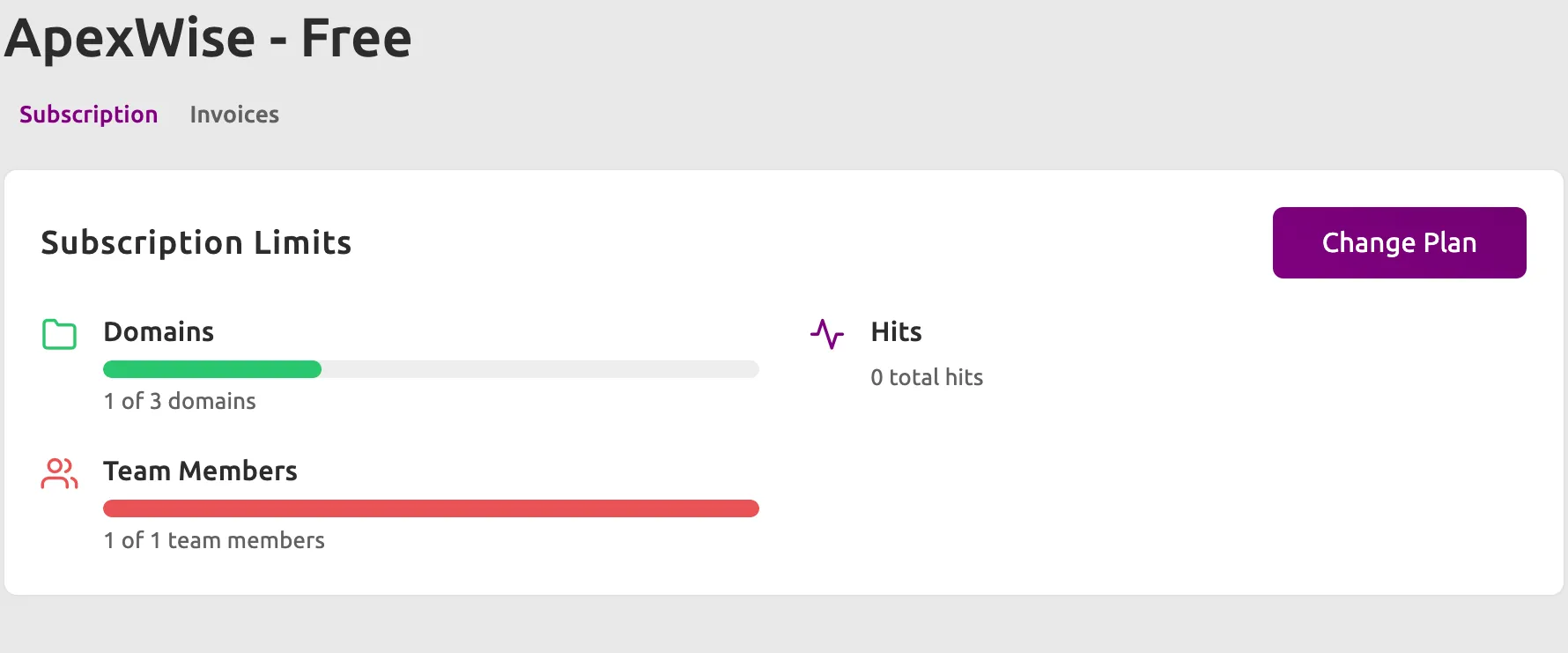
Log in to your ApexWise Dashboard and click on Subscription from the navigation menu.
Step 2: View Your Current Plan
Here, you can see details about your:
- Current Subscription Plan (e.g., Free, Standard, Professional, Enterprise)
- Usage (e.g., Domains, Hits, Redirects)
- Team Members (e.g., Number of team members)
Step 3: Upgrade or Downgrade Your Plan
- Click Change Plan.
- Select a new plan that fits your needs.
- Confirm the changes and proceed with payment (if applicable).
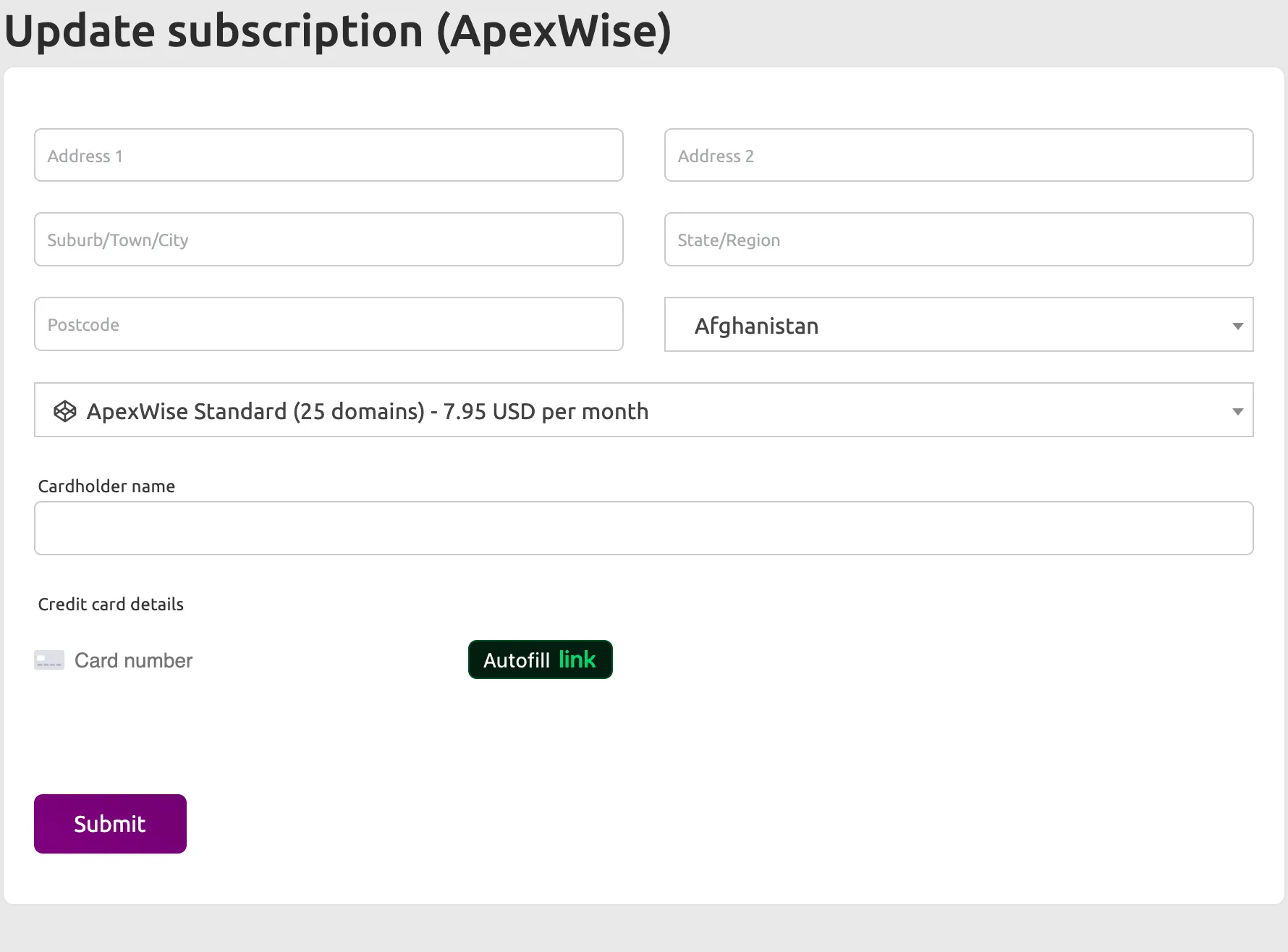
Step 4: Update Payment Details
- Click Update Payment Method.
- Enter new billing details and save changes.
Step 5: Cancel or Pause Subscription
- To cancel, click Cancel Subscription raise a ticket with our support team.
For further assistance, check our Support Page or reach out to our team.